
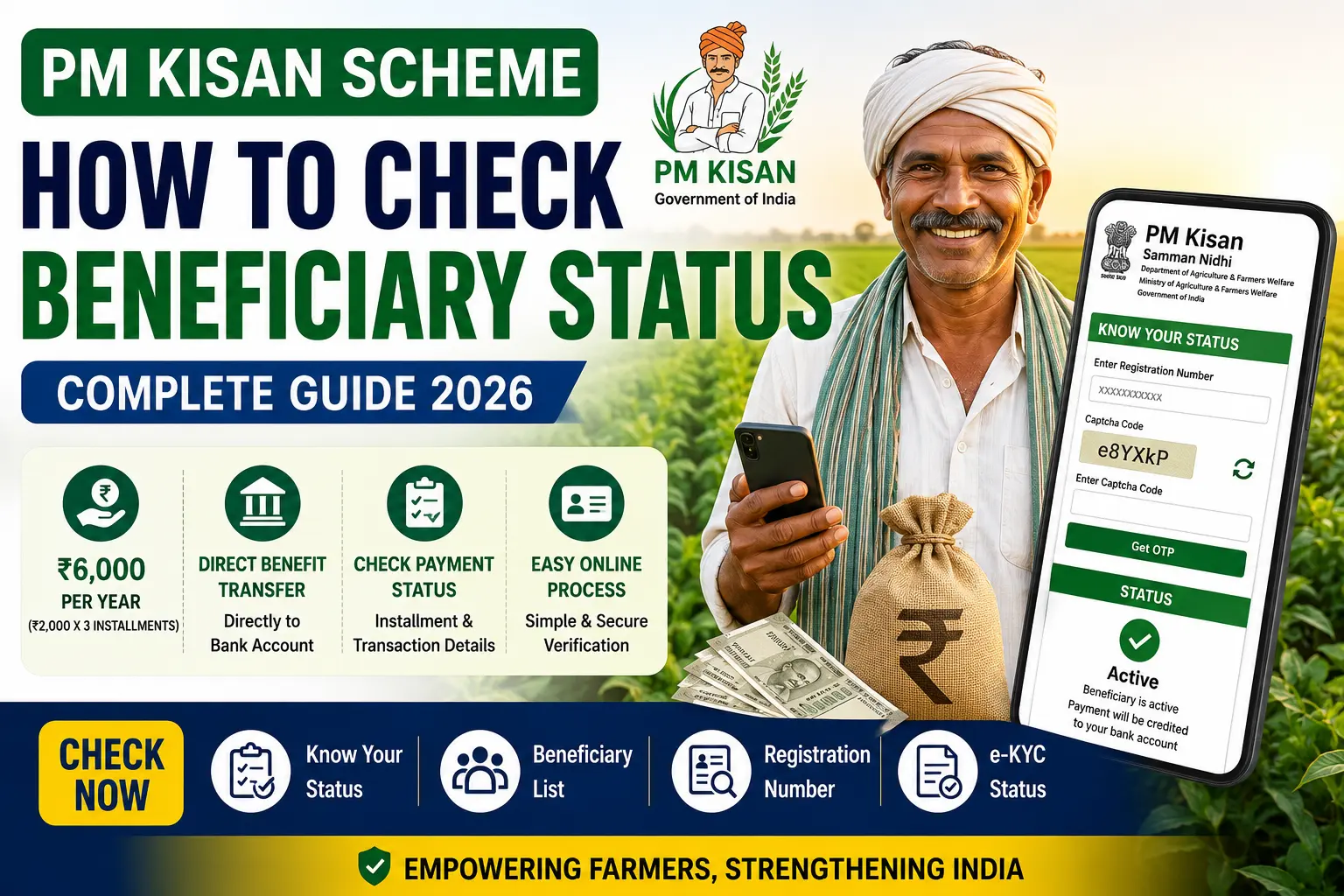
PM Kisan Scheme:- For farming families across India, the ₹2,000 that arrives in the bank account every four months isn’t just a number — it’s money for seeds, for fertilizer, for getting through the lean period before the harvest comes in. The Pradhan Mantri Kisan Samman Nidhi scheme, better known as PM-KISAN, has been putting that money directly into farmers’ accounts since 2019, and by now it covers crores of eligible farm families across the country.
But here’s the thing — a lot of registered farmers have no clear idea whether their latest installment has actually been credited, whether their e-KYC is complete, or why a payment they were expecting hasn’t shown up. Checking your status online takes less than five minutes, and it answers all of those questions in one place.
This guide walks through exactly how to do it — and what to do when something isn’t right.
What Is PM-KISAN, and How Does the Money Work?
PM-KISAN is a Central Sector Scheme run by the Government of India to provide direct financial support to eligible farmer families. The structure is simple:
- Total annual assistance: ₹6,000
- Paid in three installments of ₹2,000 each
- Credited directly to the beneficiary’s bank account through the Direct Benefit Transfer (DBT) system
The three installments typically come in four-month cycles — April to July, August to November, and December to March — though the exact release dates vary each year based on when the government processes the payments.
The money goes straight to the bank account linked to the application. No middleman, no office visit required to collect it. If your details are correct and your e-KYC is complete, the transfer happens automatically.
What Can You See by Checking Your Status?
When you check your PM-KISAN beneficiary status on the official portal, you get a complete picture of where your application and payments stand:
- Registration status — whether your application is approved, pending, or rejected
- e-KYC status — whether your KYC verification is complete
- Aadhaar verification status — whether your Aadhaar is correctly linked
- Bank account details — the account where payments are being sent
- Payment status — whether each installment has been processed
- Complete installment history — every payment made since you enrolled
- UTR number — the unique transaction reference for each transfer
- Date of credit — when exactly each installment hit your account
This information tells you everything you need to know about whether your PM-KISAN registration is working properly or whether something needs to be fixed.
Who Can Check Their Beneficiary Status?
You can check your status if:
- You have already registered under PM-KISAN
- You have a PM-KISAN Registration Number (or can retrieve it using your Aadhaar or mobile number)
- Your Aadhaar and mobile number are linked to your application
If you registered through your local agriculture office or Common Service Centre and were told your application was submitted, you should be able to check your status now — even if you never received any formal confirmation.
How to Check Your PM-KISAN Beneficiary Status — Step by Step
Step 1: Open the Official PM-KISAN Portal
Go to the official PM-KISAN website — pmkisan.gov.in. Make sure you’re on the genuine government portal. Type the address directly into your browser rather than clicking on links from unknown sources or WhatsApp forwards.
Step 2: Click on “Know Your Status”
On the homepage, look for the Farmer Corner or Farmer Services section. You’ll find the Know Your Status option there. Click it.
Step 3: Enter Your Registration Number
Type in your PM-KISAN Registration Number. This is the unique number you received when your application was submitted.
Don’t remember your registration number? Don’t worry — this is common. Look for the Know Your Registration Number option on the same page. You can retrieve it by entering either your Aadhaar number or your registered mobile number.
Step 4: Complete Captcha and OTP Verification
Enter the captcha code displayed on the screen, then click Get OTP. An OTP is sent to the mobile number registered with your PM-KISAN application.
Enter the OTP when it arrives. If it doesn’t come through within a couple of minutes, check your network and request a fresh one.
Step 5: View Your Complete Status
Once the OTP is verified, your full PM-KISAN details appear on the screen. Go through each section:
- Is your application showing as approved?
- Is your e-KYC marked as complete?
- Is your Aadhaar verified?
- Does the bank account shown match your actual account?
- Are all expected installments showing as credited?
If everything looks correct and payments are showing as credited but the money isn’t in your account, the next step is to contact your bank and give them the UTR number from the portal — that’s the transaction reference they’ll use to trace the transfer.
How to Check If Your Name Is on the Village Beneficiary List
Beyond checking your individual status, you can also see the complete list of PM-KISAN beneficiaries in your village. This is useful if you want to confirm whether your registration is reflected in the local records:
- Go to the PM-KISAN portal
- Open the Beneficiary List section
- Select your State, District, Sub-District, Block, and Village from the dropdown menus
- Click Get Report
The full list of approved beneficiaries for your village appears. If your name is there, your registration is confirmed. If it’s not — that’s a signal to investigate further.
Why Your Name Might Be Missing From the List
Finding your name absent from the beneficiary list is frustrating, but it’s usually fixable. The most common reasons are:
e-KYC not completed
This is the most frequent cause. If your e-KYC is pending or failed, your name won’t appear in the active beneficiary list and payments will be held. Complete your e-KYC immediately — the process is explained below.
Aadhaar not correctly linked
If the Aadhaar number in your PM-KISAN record doesn’t match or hasn’t been verified, payments are blocked. Log into the portal and check your Aadhaar verification status.
Incorrect bank account details
A wrong account number or IFSC code means transfers can’t go through. Verify the details on the portal against your actual passbook.
Land record verification pending
In some states and districts, land ownership records need to be verified by local revenue authorities before the application is fully approved. If this is the reason, you may need to follow up with your local agriculture office or Panchayat.
Application still under processing
If you registered recently, your application may simply still be in the verification pipeline. Give it some time and check again after a few weeks.
Duplicate or incorrect application
If there are two registrations under the same details, or if information was entered incorrectly during registration, the application may have been flagged. Contact your local agriculture office to resolve this.
How to Complete e-KYC for PM-KISAN
e-KYC is no longer optional — it’s mandatory for continued eligibility and for receiving future installments. If you haven’t completed it yet, or if your status shows it as pending, do this first.
Online Method (OTP-based):
- Go to the PM-KISAN portal
- Click on the e-KYC option
- Enter your Aadhaar number
- Request OTP — it goes to your Aadhaar-linked mobile number
- Enter the OTP to complete verification
This method works only if your mobile number is linked to your Aadhaar. If it’s not linked, you’ll need to use the offline method.
Offline Method (Biometric):
Visit your nearest Common Service Centre (CSC) with your Aadhaar card. The CSC operator will complete biometric authentication on your behalf. This is the method to use if your Aadhaar-linked mobile number is not active or accessible.
Complete e-KYC as early as possible — waiting until just before a new installment is released creates unnecessary risk of missing that payment cycle.
What to Do If Your Installment Hasn’t Been Credited
If the portal shows your installment as released but the money hasn’t appeared in your bank account, work through this checklist:
Check e-KYC status first
If e-KYC is incomplete or failed, payments are automatically held. Fix this before anything else.
Verify Aadhaar linkage
Confirm that your Aadhaar is correctly linked and verified in the portal.
Check the bank account details on the portal
Compare the account number and bank shown on the portal against your actual account. Even a single digit difference means the money went somewhere else — or couldn’t be transferred at all.
Use the UTR number
Each processed installment has a UTR (Unique Transaction Reference) number on the portal. Take this number to your bank branch and ask them to trace the transaction. They can confirm whether it arrived at your account or was rejected.
Contact the PM-KISAN helpline
If the portal shows the payment as released, your bank account details are correct, but the money still hasn’t arrived after a reasonable time, call the PM-KISAN helpline at 155261 or 011-24300606. Have your registration number and UTR details ready.
Visit the local agriculture office
For issues that can’t be resolved online — land record problems, duplicate application flags, name mismatches — the local agriculture office or Krishi Bhavan is the right place to go. Bring your Aadhaar, bank passbook, and any PM-KISAN documents you have.
A Quick Troubleshooting Guide
| Problem | Most Likely Cause | What to Do |
|---|---|---|
| Name not on beneficiary list | e-KYC pending or Aadhaar not linked | Complete e-KYC, verify Aadhaar |
| Payment shown as released but not received | Wrong bank details or transfer rejected | Check account details, use UTR at bank |
| Application showing as pending | Land records not verified | Contact local agriculture office |
| OTP not received | Mobile not linked to Aadhaar or not active | Link mobile to Aadhaar first |
| Registration number forgotten | — | Use “Know Your Registration Number” on portal |
| e-KYC failing online | Mobile not linked to Aadhaar | Visit CSC for biometric e-KYC |
Frequently Asked Questions
How much does PM-KISAN pay and when?
₹6,000 per year, split into three installments of ₹2,000 each. The installments are released approximately every four months, though exact dates vary each year.
Is checking my status free?
Yes, completely free on the official PM-KISAN portal. No login account is required — just your registration number and OTP verification.
Can I check status on my mobile phone?
Yes. The portal works on smartphones. You don’t need a computer or to visit any office.
Is e-KYC really mandatory?
Yes. The government made e-KYC mandatory for all PM-KISAN beneficiaries. Without it, future installments will not be released regardless of how long you’ve been in the scheme.
What if my Aadhaar details don’t match my land records?
This is a known issue in some cases — particularly where names are spelled differently in different records. Contact your local agriculture office or tehsil office to get the records reconciled. This may take some time but is necessary for the application to be fully approved.
Can I check installment history for previous years?
Yes. The portal displays your complete payment history from the time you were enrolled, including all past installments, their release dates, and UTR numbers.
What happens if a farmer passes away?
Payments stop when the beneficiary’s death is reported. Family members should inform the local agriculture office. In some cases, eligible family members may apply separately if they meet the scheme criteria in their own name.
I registered recently — how long before I receive my first installment?
Processing times vary. After your application is approved and your e-KYC is complete, you’ll be included in the next installment cycle. Check your status on the portal regularly to track where things stand.
Can tenant farmers or sharecroppers apply?
PM-KISAN is currently limited to landowning farmer families. Tenant farmers and sharecroppers who don’t own land are generally not eligible under the current scheme rules.
Staying on Top of Your PM-KISAN Registration
A lot of farmers register for PM-KISAN and then don’t think about it until a payment doesn’t arrive. By then, the problem has sometimes been sitting unresolved for months. A better approach:
Check your status once every four months — roughly in line with each installment cycle. Before each expected payment, spend five minutes on the portal confirming your e-KYC status, Aadhaar verification, and bank account details are all correct.
Keep your mobile number active — the one linked to your Aadhaar and PM-KISAN application. If you change numbers, update it on the portal and with UIDAI. A dead or changed number breaks OTP verification and can hold up payments.
Keep your bank account active — dormant accounts sometimes get frozen by banks. Make sure the account linked to PM-KISAN has had at least some activity.
Don’t ignore portal notifications — if the government updates e-KYC requirements or asks for additional verification, act on it promptly. Delays in responding to these requirements are a common reason installments get held.
Bottom Line
PM-KISAN puts real money into farmers’ accounts three times a year — but only if the registration details are correct, the e-KYC is complete, and the bank account is properly linked. Checking your status takes five minutes and tells you immediately whether everything is in order or something needs to be fixed.
If you haven’t checked your status recently, do it now before the next installment cycle. And if something looks wrong — a pending e-KYC, an unverified Aadhaar, a bank account mismatch — fix it early rather than waiting until after a missed payment.
The official PM-KISAN portal at pmkisan.gov.in is where everything happens. Use it directly, keep your details updated, and you’ll receive every installment you’re entitled to without unnecessary delays.
For more guides on government schemes, certificates, pensions, online services, and public welfare programmes, keep visiting SpotNews Kerala.